
Please refer to this list of common issues and solutions if you experience an issue with the TeslaMap program. Please contact me if your particular issue is not listed.
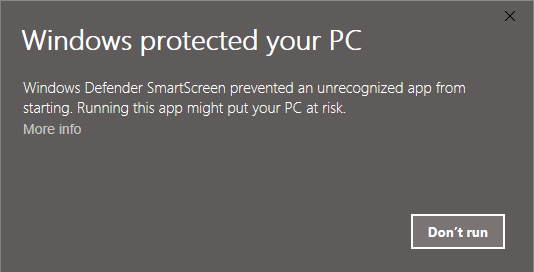
This is the standard warning for all "unsigned" programs. Consider the following:
To prevent these warning messages I must purchase a "code signing certificate", prove my identity to the certificate issuing authority and pay an annual fee of about $100. Unfortunately, purchasing a code signing certificate is not an economically viable option. I also don't trust them with my personal information.
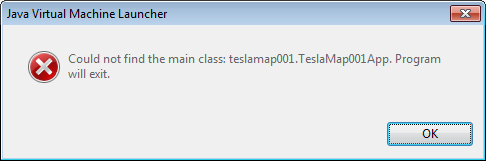
You did not extract the TeslaMap.zip file or you successfully extracted the zip file, but are still trying to run the TeslaMap.jar file in the zip folder, not the extracted folder. Please visit the step-by-step install guide.
This error can also be caused if the TeslaMap.jar file was moved out of the TeslaMap folder. If you would like to move the program to a different directory on your computer, either move the TeslaMap folder or create a shortcut to the TeslaMap.jar file.
Download and install the free Java Runtime Environment from Sun Microsystems. TeslaMap is written in Java and requires the JRE to run.
Please install the free .NET Framework from Microsoft.
The jar file is probably not associated with the Java Runtime Environment (JRE). The association should be set automatically when the JRE is installed. Download and install the free Java Runtime Environment from Sun Microsystems.
If TeslaMap still fails to run please follow these directions...
Windows Vista / 7:
Start Button → Control Panel → Default Programs → Associate a file type or protocol with a program → Select .jar → click the Change program button → select Java Platform SE Binary → click OK
Windows XP:
Start Button → Control Panel → Folder Options → File Types tab → select JAR in the list → click the Change button → select Java Platform SE Binary → click OK
Try adjusting the Menu → Set Location option or changing your thousands separator between comma and decimal points. Different locations use different decimal point or digit group separators. Internationally, they have both been used for both meanings. The TeslaMap program will try to detect your location and use the local convention.
Please follow these steps...
Note - This guide assumes you are using Windows. This guide was made with Windows 7, other versions of Windows may vary slightly.
Download the TeslaMap program or the free evaluation version. The file you download will be called TeslaMap1.18.zip (or something very similar). I recommend you save the downloaded TeslaMap.zip file to your desktop.
When the download is complete you will have a TeslaMap1.18.zip file on your computer.
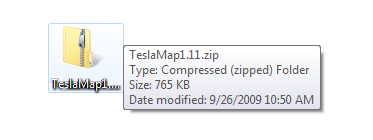
Right-click on the TeslaMap1.18.zip file and a menu will appear.
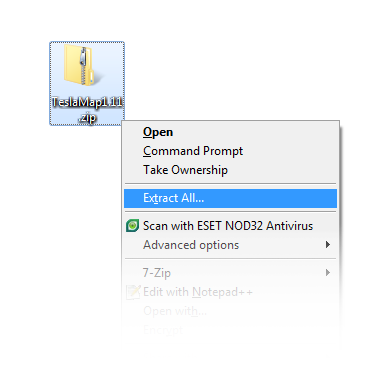
Select "Extract All..." in the menu.
The Windows Extraction Wizard window will appear.
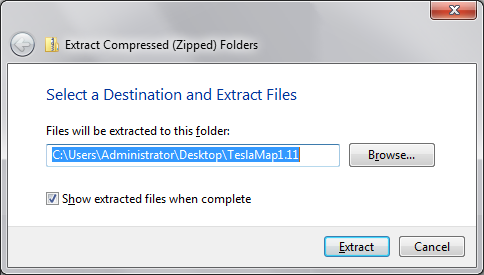
Select the location where you would like the TeslaMap program to be placed, or just accept the default location. Be sure to make a note of this location because we'll be going there next.
Click the extract button.
A new TeslaMap folder will be created in the location you specified in the Windows Extraction Wizard.
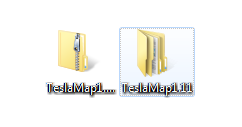
Open the new TeslaMap folder. (It may have opened automatically if the "Show extracted files when complete" box was checked in the Extraction Wizard.)
Inside you will see a TeslaMap.jar file.
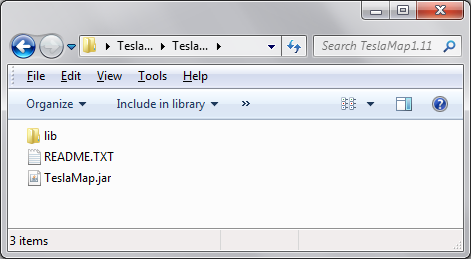
Double-click the TeslaMap.jar file to run the TeslaMap program.
Please try the following...
Download and install the free Java Runtime Environment from Sun Microsystems.
If TeslaMap still fails to run, the .jar file type is probably not associated with a Java Runtime Environment (JRE) on your computer. To fix this please follow these directions...
Windows Vista / 7:
Start Button > Control Panel > Default Programs > Associate a file type or protocol with a program > Select .jar > click the Change program button > select Java Platform SE Binary > click OK
Windows XP:
Start Button > Control Panel > Folder Options > File Types tab > select JAR in the list > click the Change button > select Java Platform SE Binary > click OK
Try restarting your computer.
Be sure you are extracting the TeslaMap.zip file, not just opening it. If you try to run the TeslaMap.jar file without extracting it, you'll get the following error...
Simply double click the TeslaMap1.18.exe file to start the installer. The installer will guide you through the install process.
This version does not need to be installed. Simply double click the TeslaMap9.X.X.exe file to run the program. i recommend scanning with an antivirus program first.
If you encounter this error:
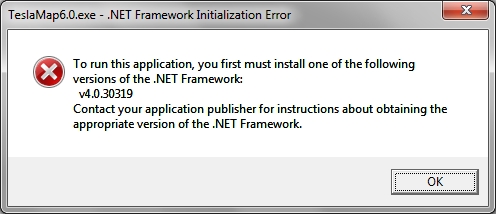
Please install the latest .NET Framework from Microsoft (free).